
Code Generation
HAI RapidUI features powerful automated code generation capabilities that transform wireframes and specifications into fully functional frontend applications. This feature leverages advanced LLM models to interpret visual designs and generate high-quality, maintainable code with modern best practices.
How Code Generation Works
The code generation process follows a comprehensive, systematic workflow:
1. Project Structure Analysis
Comprehensive evaluation of directory structures, file organization, and architectural patterns to establish the foundation for code generation.
2. Existing Codebase Evaluation
Systematic assessment of current code assets, dependencies, and implementation patterns to ensure compatibility and integration.
3. Code Implementation & Generation
Production of high-quality, maintainable code with proper architecture, patterns, and documentation aligned with industry best practices.
4. Automated Error Detection & Resolution
Proactive identification and remediation of potential issues through static analysis, linting, and intelligent error handling mechanisms.
5. Application Execution
Runtime optimization and environment configuration for consistent application performance and behavior verification.
6. Visual Regression Testing & Comparison
Automated visual verification through screenshot comparison to ensure UI implementation matches design specifications with pixel-perfect accuracy.
7. User Feedback Integration & Iteration
Systematic incorporation of stakeholder input through structured feedback loops to refine and enhance the generated implementation.
Implementation Modes
HAI RapidUI offers two distinct approaches to code generation:
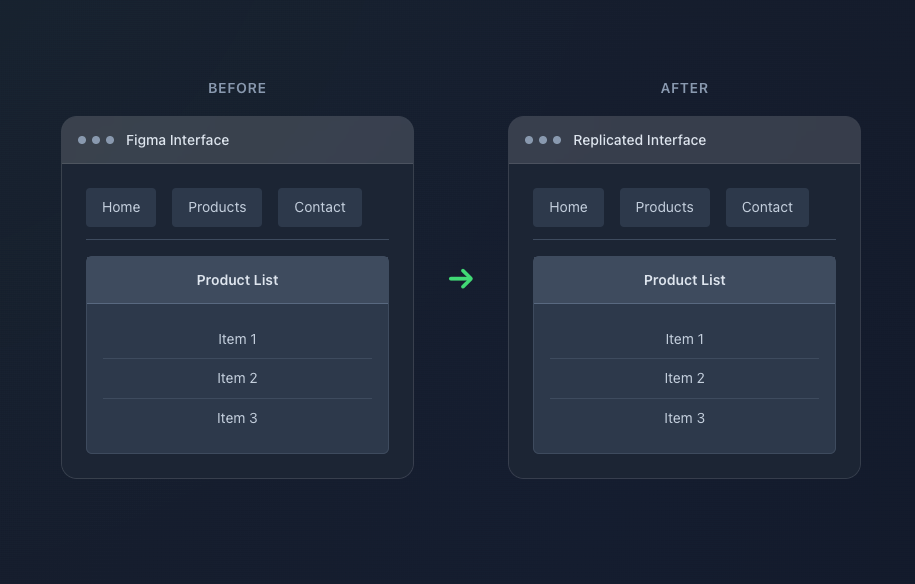
Creates exact layout replication while maintaining the original design structure and visual hierarchy.
Best For:
- Converting existing designs to code with pixel-perfect accuracy
- Maintaining brand consistency and established design systems
- Projects requiring strict adherence to provided wireframes
Key Features:
- Pixel-perfect layout matching
- Exact color reproduction
- Original typography preservation
- Legacy pattern maintenance
- Compliance-ready output
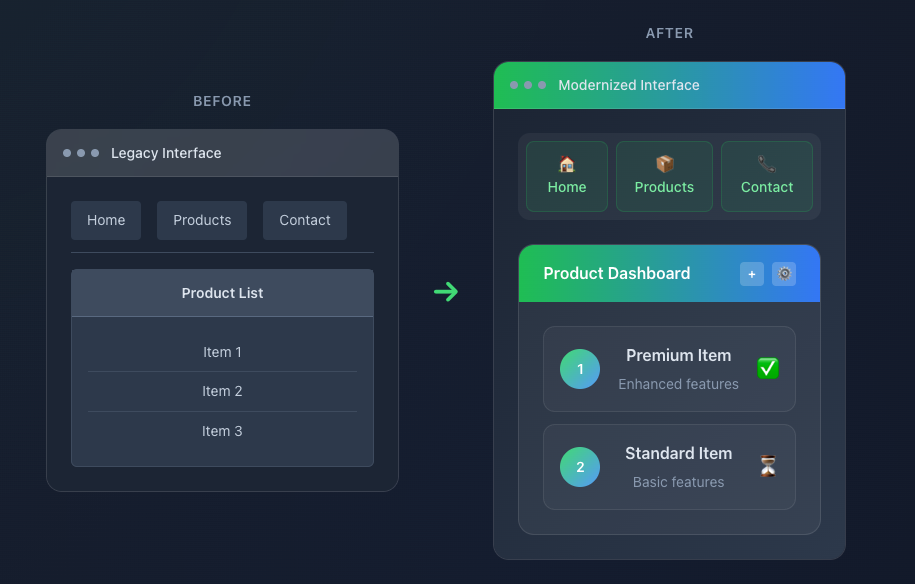
Creates creative, modern UI with enhanced aesthetics and improved user experience.
Best For:
- Modernizing legacy applications with outdated interfaces
- Enhancing user experience with contemporary design patterns
- Projects seeking improved accessibility and responsive design
Key Features:
- Enhanced user experience
- Performance optimization
- Loading states and error handling
- TypeScript integration
- Improved accessibility
- Responsive design patterns
Framework Support
HAI RapidUI supports multiple frontend frameworks with framework-specific best practices:
| Framework | Description | Best Practices |
|---|---|---|
| React | Modern functional components with hooks | Component composition, Context API, Custom hooks |
| Angular | Component-based architecture | Services, Dependency injection, NgRx |
| Vue | Vue 3 Composition API | Reactive data handling, Composables, Pinia |
| Next.js | React with server-side rendering | SSR/SSG optimization, API routes, Image optimization |
UI Framework Integration
The system supports various UI frameworks based on the selected template:
| Framework | React | Next.js | Angular | Vue |
|---|---|---|---|---|
| None (Vanilla CSS) | ✅ | ✅ | ✅ | ✅ |
| Tailwind CSS | ✅ | ✅ | ✅ | ✅ |
| Material UI (MUI) | ✅ | ✅ | ❌ | ❌ |
| Angular Material | ❌ | ❌ | ✅ | ❌ |
| Vuetify | ❌ | ❌ | ❌ | ✅ |
API Integration
HAI RapidUI provides comprehensive API integration capabilities:
- Swagger/OpenAPI Integration: Automatic type generation from API specifications
- Type-Safe API Clients: Generated API clients with full TypeScript support
- Loading States: Automatic loading state management for API calls
- Error Handling: Comprehensive error handling with user-friendly messages
- Data Transformation: Intelligent data transformation between API and UI
- Caching: Optimized data caching for improved performance
Best Practices
Generation Success Tips
- Clear Wireframes: Use high-quality, detailed wireframes
- Consistent Design: Maintain design system consistency
- API Documentation: Provide complete Swagger specifications
- Iterative Approach: Start small, then scale up
- Code Review: Always review generated code before deployment
Important Considerations
- Generated code is a starting point - customize as needed
- Always test thoroughly before production deployment
- Keep dependencies updated for security
- Follow framework-specific best practices
Visual Validation
HAI RapidUI includes automated visual validation capabilities:
- Screenshot Capture: Automated browser automation for capturing screenshots
- Visual Comparison: Side-by-side comparison of wireframes and generated UI
- Responsive Testing: Validation across multiple screen sizes
- Interactive Testing: Verification of interactive elements and states